











Create images, product cards, advertising visuals, posters and AI photo shoots.
AI bot in Telegram for photos, videos and neural networks
ClipVision opens as Telegram Mini App: run neural networks to generate photos, videos from images, commercials, upscales, editing and prompts right in your usual chat. MAX remains nearby as a second input.
From photos to videos using the example of a Doberman · Kling 2.6
Kling 2.6 turned one photo of a Doberman into a five-second clip. Compare the original with the result.
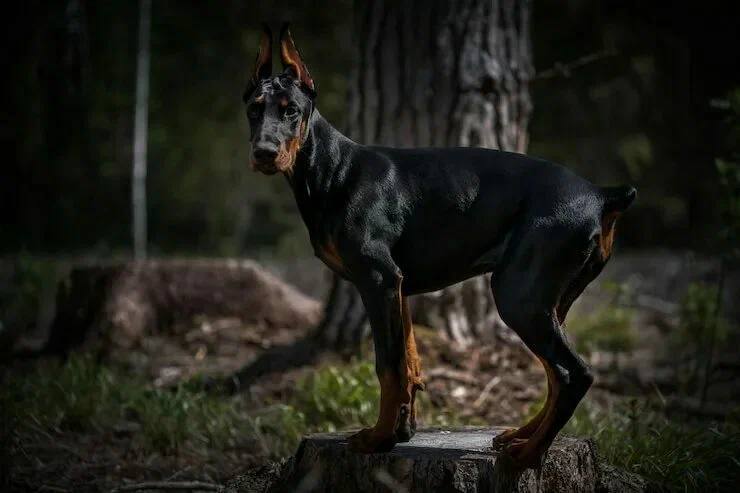
Original prompt · Оживи фото
In the mini app, open All models → Video and upload your photo as the first frame.
What ClipVision can do
Neural networks in one bot
ClipVision combines photo generation, video from an image, commercials, working with prompts and editing in one Telegram Mini App.
Bring source files, products, characters and scenes to life for Reels, Shorts and promos.
Take ready-made prompt structures, look at the source files and adapt the ideas to your task.
Choose Kling, Veo, Seedance, Flux, Qwen, Nano Banana and other models in one interface.
Site sections
What to watch next
A catalog of models, prompts and comparisons help you select a neural network before starting generation.
How to get started
From idea to result in Telegram
There is no mandatory subscription or package of tokens: before launch, the cost of the selected generation is shown.
Open the photo, video or ready-made scripts section and find the type of result you need.
Upload a photo, video or references if the selected model supports working with them.
Specify format, quality and duration. The total amount is recalculated before confirmation.
The status of the task and the finished result are available inside the mini-application and in a dialogue with the bot.
How to make a video from a photo in Telegram
ClipVision works as a mini-application inside Telegram: you select a photo and settings in the tool form, rather than sending it as a regular message to the bot chat.
Start in a bot
Open ClipVision from the link below. On your first visit, launch the bot, then open the widget using the button in its menu.
Open the desired tool
To bring your photo to life, select a video model with the original image. For a finished image, use AI photo shoots, and to advertise a product with a presenter, open a AI studio.
Create and test
Add a source file, set the motion and format. Confirm launch only after checking the price. Open the finished work, evaluate the details and download the result.
The button leads to the bot, and the choice of a specific model occurs in the application. Do not send your password or payment details in regular chat.
Open ClipVision in TelegramShort answers
What is important to know
Facts about access, payment and model selection. Detailed answers are collected at separate page.
What is ClipVision in Telegram?+
ClipVision - Telegram Mini App and bot for creating and editing photos and videos using different AI models in one interface.
Do I need to subscribe?+
No. There is no obligatory monthly subscription or package of internal tokens; the cost of the selected generation is shown in rubles before launch.
Is it possible to make a video from a photo?+
Yes. Upload a photo, select a video model or a ready-made script and specify the movement. Available duration, format, quality and sound may vary by model.
How to choose a neural network?+
Start with a task: photo, editing, animation of a frame, commercial or quality improvement. ClipVision will show the models and settings related to it.