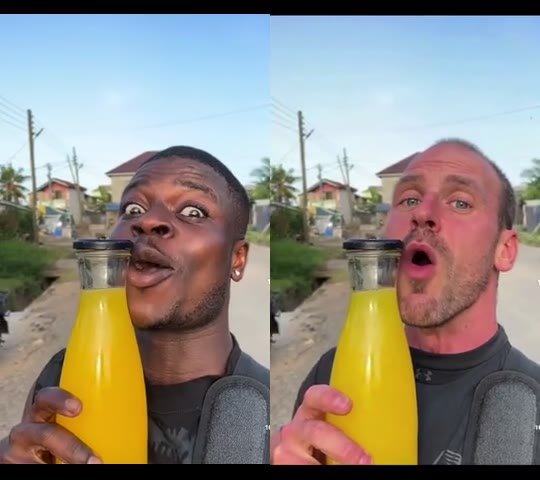
Replacement of characters in the video. Your new story.
Leave the action. Change the heroes. Upload the video and photos of the new appearance, and ClipVision will prepare materials for editing in Seedance 2.5.
In the Telegram and MAX widget. The cost is shown before launch.
Real example
BeforeAfter
The action is familiar.The hero is already different.Watch video ↗
Before 6 selected replacements480p / 720p quality of the resultSame as in the source file duration2 confirmation characters and lines
One tool. Two scenarios.
Look what's changing.
Select a mode for the entire video, not just one frame at a time. Count all different people, including passers-by and participants without replacement.
01Small composition
Up to 6 people
No more than six different people appear throughout the entire video. Choose who to replace; the original environment can be left.
There are more than six people in the video or there is a crowd. Nominate up to six main characters to replace you; the environment is processed separately.
These are examples of how the service works and do not guarantee an identical result. Similarities, facial expressions, small details and movements depend on the source file and generation.
From original file to new version
Materials from you. Prepared by ClipVision.
There is no need to assemble a set of references yourself or come up with a technical prompt.
01
Video and new appearance
Upload a video of 4 to 30 seconds in length and up to six photos. For each, write who needs to be replaced in the source file.
02
Quality and wishes
Select 480p or 720p. The background and additional changes can be described separately. The editing duration is taken from the source video.
03
Two important confirmations
After launch, check the matches “who are we changing to whom”, then the text of the remarks. The server performs the rest of the preparation automatically.
04
Result in “My tasks”
Follow the steps in the mini-app. After confirmations, the window can be closed: processing will continue on the server.
You manage change
New image. Familiar action.
The mode is designed to replace characters within a finished scene. The video sets the action and camera movement, and the photographs help define the new appearance.
Do you want a different location, lighting or mood? Add your wishes in the optional request field. For complex scenes, start with a short section.
Clear before launch
Cost and restrictions
The final price is calculated in the duration and quality settings. There is no required subscription.
35% of the order pays for the analysis of the video and the preparation of materials. If Seedance 2.5 fails after preparation of 65% is returned to the balance of ClipVision; 35% are retained for completed milestones. Check conditions before starting.
Moderation remains
ClipVision does not guarantee that Seedance 2.5 locks will be bypassed. The Provider may reject content, including images of celebrities and recognizable characters. Use materials for which you have the rights and necessary consents.
This is generation, not precise editing
The model can change facial features, background, sound or small movements. Check the finished video before publishing. Don't use appearance substitutes to mislead viewers.
Before the first attempt
Questions and answers
Is it possible to bypass Seedance 2.5 locks?
There is no guaranteed bypass. ClipVision prepares materials for editing, but does not override the rules and moderation of the provider. Even a prepared kit may be rejected. Do not download prohibited materials; Images of celebrities and recognizable characters may also be rejected.
How to choose between “Up to 6 people” and “Crowd and passers-by”?
Count all the different people throughout the video. If there are no more than six, choose the first mode. If there are more than six or there is a crowd, choose the second one. In both modes, you can load up to six images for selected replacements.
Is it possible to keep the original background?
In the “Before 6 person” mode, you can leave the original environment or describe changes. In crowd mode, the environment is processed and recreated along with the scene, so details may vary. An exact match of pixels and appearance is not guaranteed.
Is it necessary to write a prompt?
The technical prompt ClipVision prepares itself. For each photo, describe who needs to be replaced. An additional request is needed if you want to change the background, lighting or other details.
What duration and quality are available?
Load video from 4 to 30 seconds. 480p and 720p are available for the result. The editing duration is set based on the source file, without manually selecting the number of seconds.
What happens in case of failure after preparation?
If Seedance 2.5 rejects the generation after preparation, 65% of the cost is returned to ClipVision's balance. 35% is retained for analysis and preparation of materials. The final price and conditions are shown before launch.
Do I need to keep the widget open?
No. Processing runs on the server. Confirm the character matches and dialogue, then open My Tasks to check progress and get your finished video.
Video with characters / Seedance 2.5
Give the video new heroes.
Open the widget, then AI-studio → Video with characters. Select "Up to 6 People" or "Crowds and Passersby".